Sigil
A downloadable tool for Windows
The Problem
Features
|
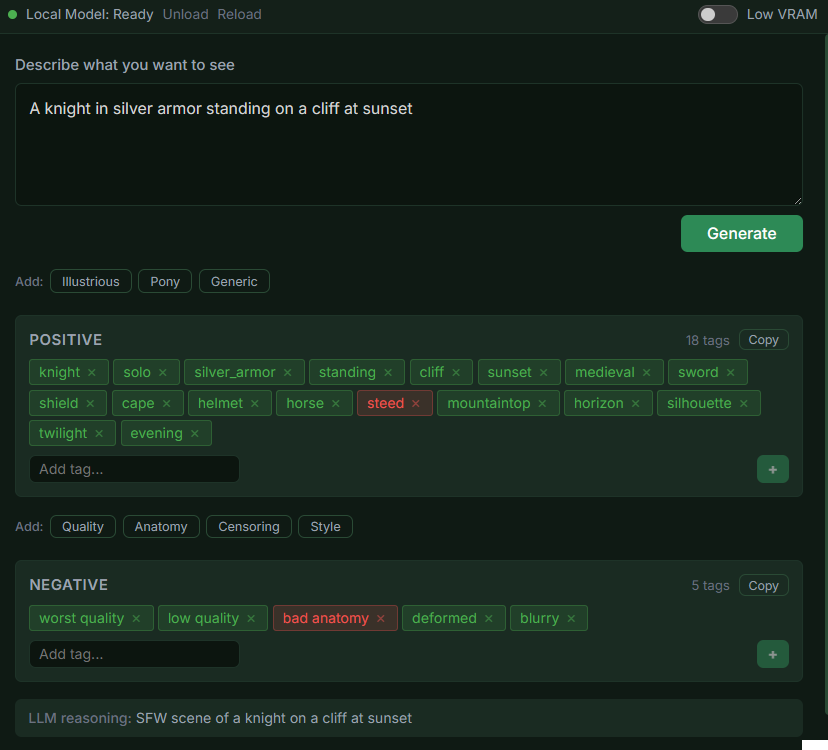
Natural Language Input Describe what you want to see in plain English. Something like "a knight in silver armor at sunset" and Sigil turns it into the tags SD needs. |
Tag Validation Every tag is checked against 111,000+ known tags. Valid tags show up green, unknown ones show red, so you can tell what works before you generate. |
|
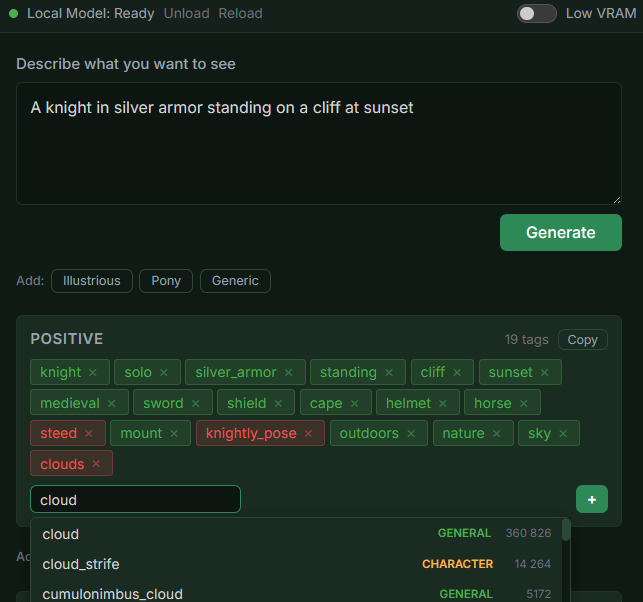
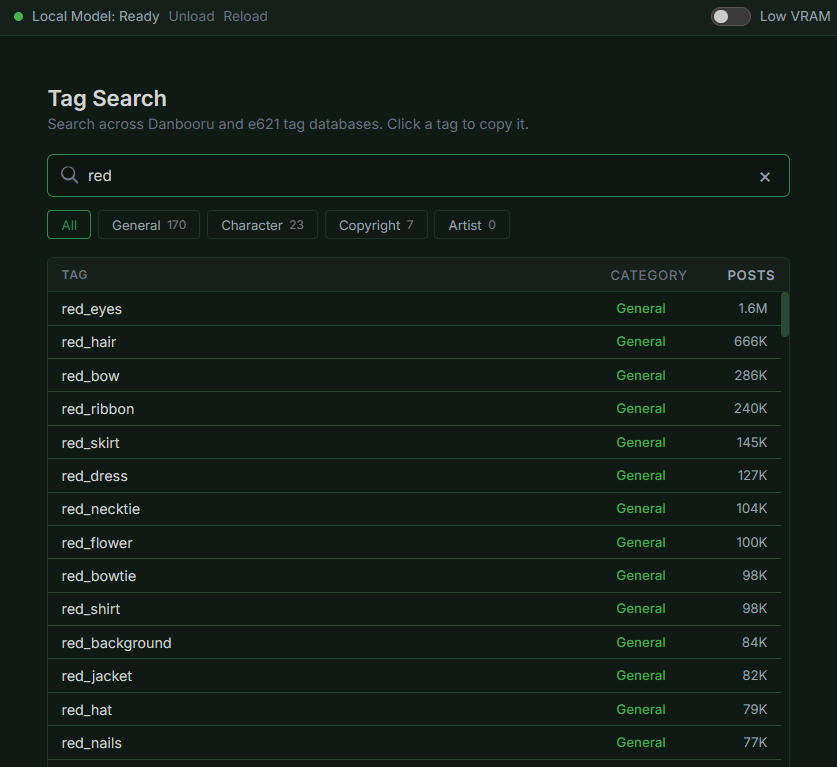
Searchable Tag Database Search tags right from the input field. Find tags you didn't know existed, see popularity counts, add them to your prompt. |
Quality Presets One-click quality tags for Pony, Illustrious, or generic models. Each model type has its own "magic words" and Sigil helps you pick the right ones. |
|
Smart VRAM Management Low VRAM mode automatically loads and unloads the AI model around each translation, so Sigil and SD can share the same GPU. |
Fully Offline One-time model download, then everything runs on your machine. No internet needed, no cloud, no API keys. |
Which models work best?
Sigil works best with booru-trained models like Pony, Illustrious, and NoobAI. These models were trained on tagged image data, so they respond well to the tags Sigil generates.
For realistic or SDXL-based models, plain English descriptions often work just as well on their own. Sigil can still help, but those models don't rely on booru tags the same way.
From Zero to First Image
No experience needed. 15 minutes, start to finish.
1 Download ComfyUI
Free, open-source image generation software.
2 Grab a model from CivitAI
Pick one that looks cool. PonyXL, NoobAI, and RealisticPony are great starting points.
3 Drop the model in ComfyUI's models folder
That's the only setup ComfyUI needs.
4 Open Sigil, type what you want
"A girl with red hair in a cherry blossom forest." Plain English.
5 Copy tags to ComfyUI, get your image
Done. You just generated your first AI image. Everything else is optional.
System Requirements
|
Minimum Windows 10 (64-bit) 8 GB RAM GPU with 6 GB VRAM, or CPU (slower) 5 GB storage |
Recommended 16 GB RAM 8+ GB VRAM NVIDIA / AMD / Intel Arc |
Sigil includes a Low VRAM mode for GPUs under 14GB that automatically manages model loading so Sigil and SD can share the GPU.
Purchase
In order to download this tool you must purchase it at or above the minimum price of $7.99 USD. You will get access to the following files:
Development log
Leave a comment
Log in with itch.io to leave a comment.